Wednesday, June 24th – HyperTexting is now available to download on the App Store. The public release packed full of new features, two of which are highlighted below. Continue reading to learn more, or try it now!
HyperTexting is now available to download on the App Store. This milestone wouldn't be possible without the feedback we collected during the public TestFlight. There are dozens of improvements contained in this release, including background refresh, unified search, full-screen in-app browser, dark mode app icon, and much more. But there are also two important features specifically designed to help you along your journey to escape the algorithm.
The world wide web's hidden social network
I'm very excited to introduce the new Profile "Following" tab in HyperTexting. Now you can see recommended feeds from the feeds you follow.
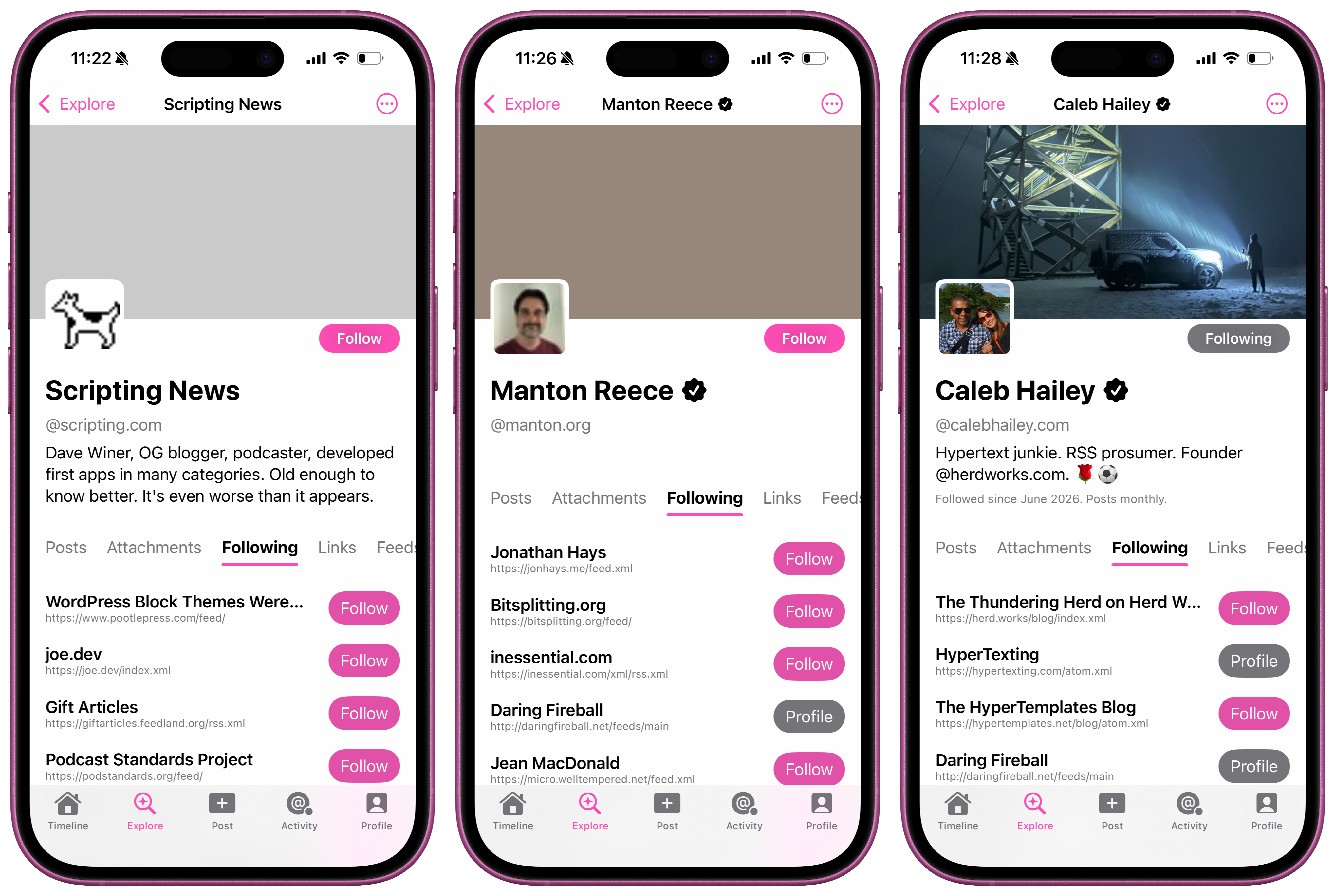
I've been thinking a lot lately about how, at least anecdotally, we've stopped calling social platforms "social networks". The current discourse around the big social platforms has shifted almost entirely toward "social media". I suspect this is in part due to the fact that any socializing we used to do on these platforms has long since moved to messaging apps. But it also acknowledges the fact that the platforms are much less interested in helping us connect with people – the literal networking – and more interested in showing us content.1
It reminds me of the expression: "Come for the tool, stay for the network". With HyperTexting, we're trying to build a tool that makes it easy to escape the algorithm and take back control of the newsfeed. If we are successful, that success will be much less the result of our hard work on an app, and much more a reflection of the communities that exist within the most mature social network in the world: the world wide web (of feeds). In that context, our mission as the tool that connects you to your network is clear: to provide as many discovery surfaces as possible. Showing recommended feeds is one such discovery surface.
Check out the NEW Profiles guide for more information about how this works – including instructions for updating your website to share recommended feeds.
HyperTexting gets a follow button
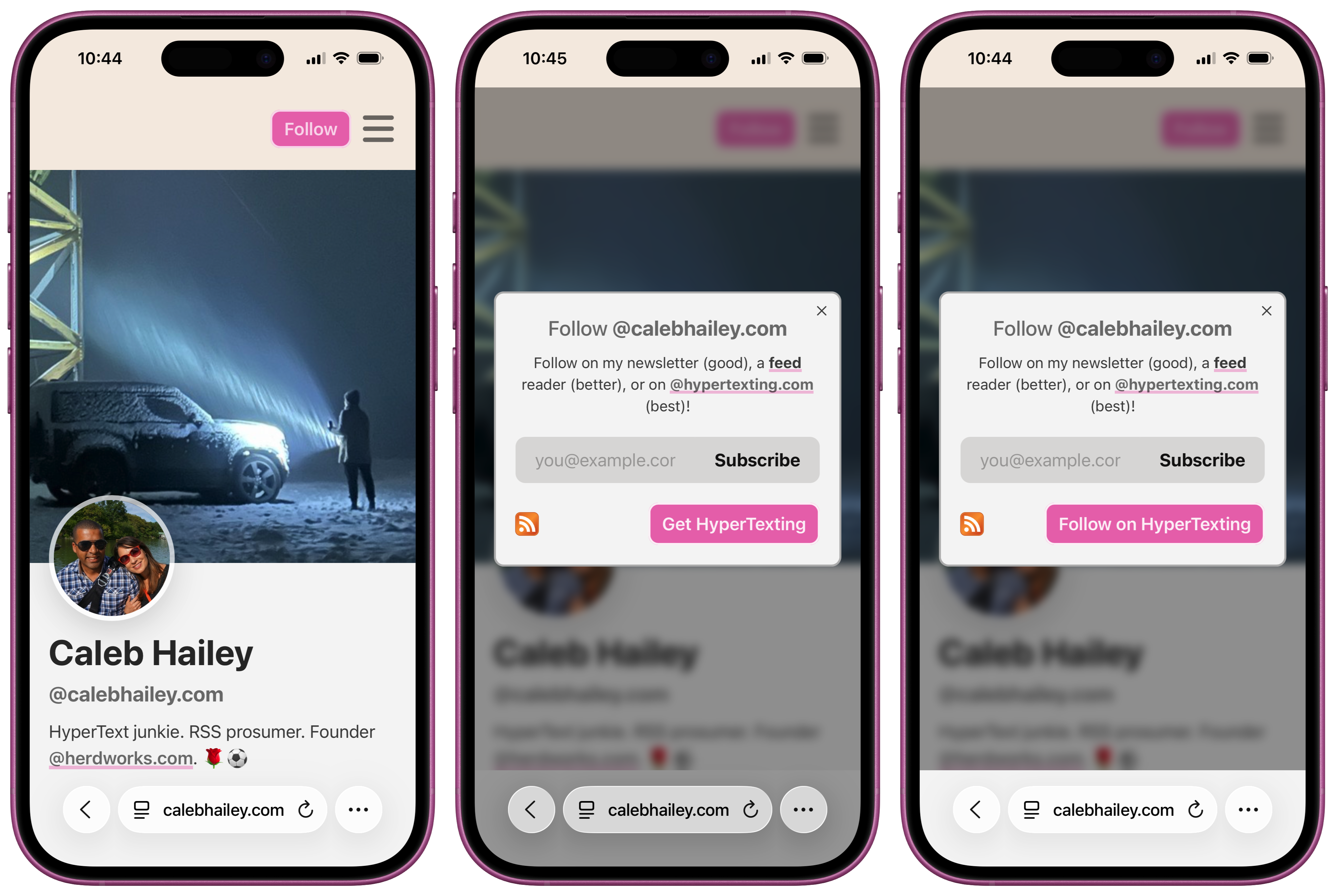
We are also excited to add support for "Follow on HyperTexting" buttons!
Websites can now detect when HyperTexting is installed and show a follow button by using an htxt:// link (e.g. htxt://calebhailey.com). See this live by visiting my personal website, @calebhailey.com2.
If HyperTexting is installed, the dialog offers to open the website directly in the app; otherwise, it prompts users to download HyperTexting on the App Store.
In many ways, HyperTexting is a celebration of the hyperlink. But links have become such an integral part of everyday life that most of us take them for granted. We don't normally need to think about them too much because they just work.
When we see a link with a URL like https://makehypertext.com, we know we can tap on it and it will open a web page in Safari or Chrome. But what about links like sms://5555551234? Or mailto:[email protected]? You have probably interacted with these types of links without realizing it, until your device asked you if you wanted to open that link in another app.
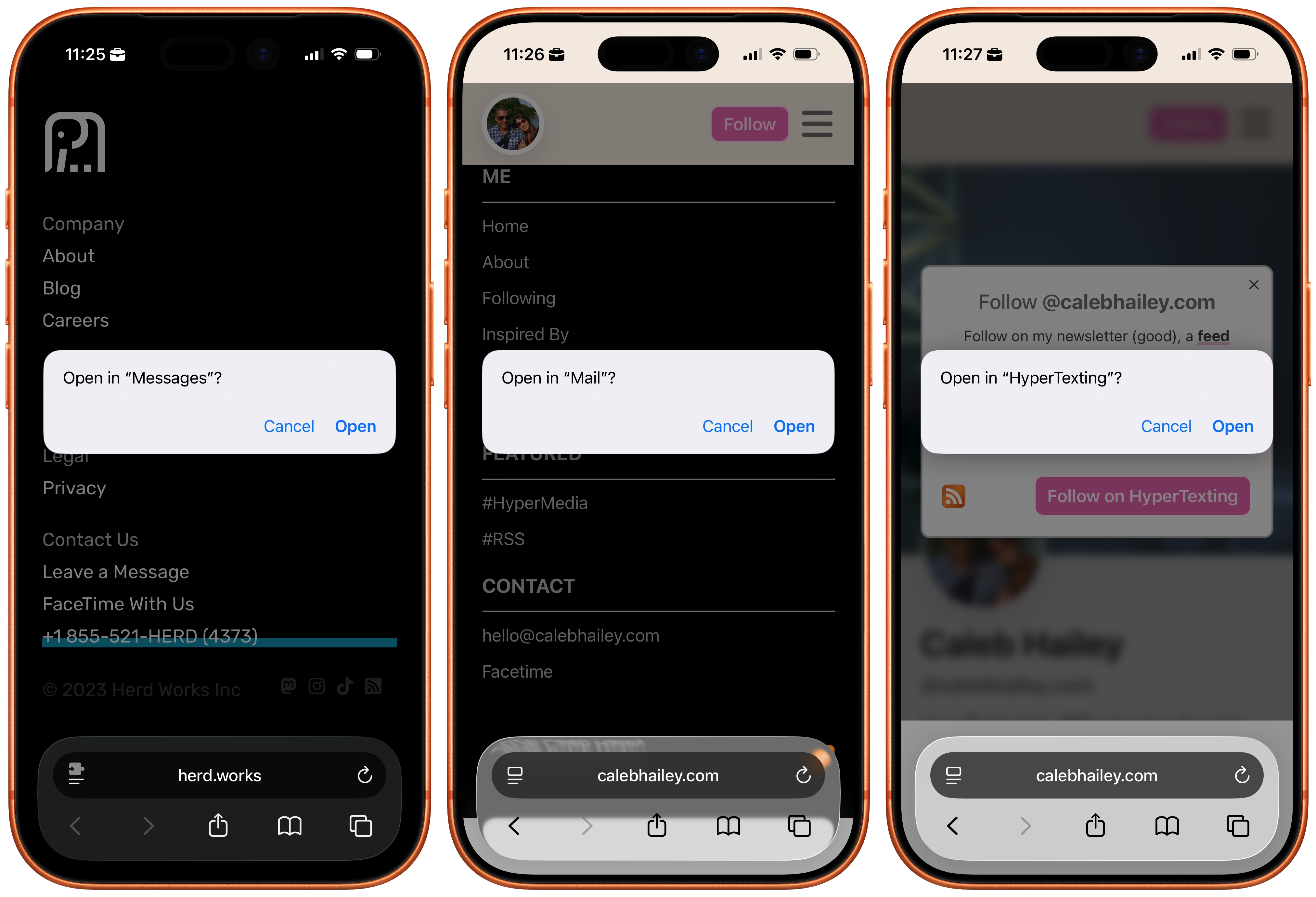
The part of the URL that makes this possible is the part that is easiest to overlook: the URL "scheme".
A URL scheme is the part of a link that specifies the type of application your device uses to open a URL.
An http: or https: URL opens in a browser.
A mailto: URL opens in your email client.
And so on.
URL schemes were originally meant to identify a generic type of application. These were generally apps that most devices could be expected to have pre-installed (e.g. an email client). However, many modern applications have implemented support for application-specific URL schemes.
For example, the facetime: URL scheme is only meant to work with FaceTime, which only works on Apple devices.
Today we're introducing the htxt: URL scheme to open links directly in HyperTexting.
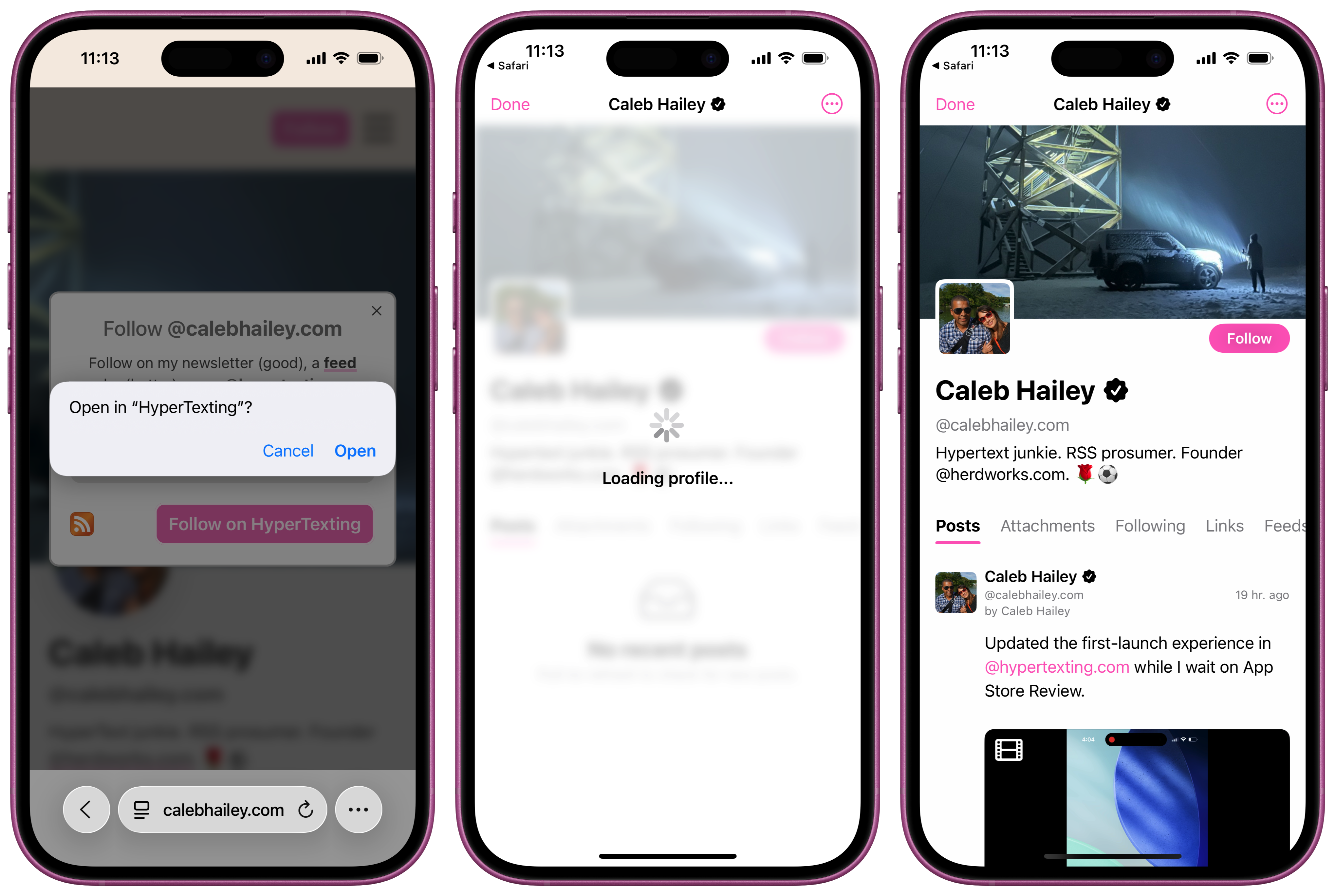
To learn more about how this works, please visit the NEW URL Scheme User Guide.
Adding it all up
In our original announcement, we highlighted the three core pillars of HyperTexting:
- A destination news feed for hypermedia (text, audio, video, and hyperlinks)
- A privacy-preserving content discovery & personalization engine
- A publishing system that makes updating your website as easy as sending a text message
The public TestFlight helped us improve the newsfeed. With Profiles and follow buttons we've extending the discovery surface; there's more work to do here, but there's already a solid foundation in place that should make it easy to find your community in the Feediverse. All that's left to do is share our vision for publishing.
Updating your website should be easier than posting on social media. That's why we've made it our mission to make it easier to @makehypertext.com. The good news is: we've already built an early prototype of the composer, and we have begun conducting experiments with a small group of beta testers. If you are interested in joining the private TestFlight, just download HyperTexting on the App Store, add your website profile, and tap "Post" to join the waitlist.
Acknowledgements
That is all of the updates we have for today. Before we wrap up, we want to say a special THANK YOU to Anil Dash (@anildash.com) who's writing about the open social web has inspired a lot of what we're building in HyperTexting. Some of that writing is 10 years old, and some of it is more recent, and more relevant than ever.
We hope you enjoyed this update, and we can't wait to share what's next! To stay up to date with all the latest HyperTexting news, join the @hypertexting.community 💬 or download the app today and follow us @hypertexting.com.
-
This shift is much less motivated by the desire to provide more value to their users, and much more motivated by the desire to get people to spend more time in their apps so they can show them more ads. ↩︎
-
HyperTexting-aware follow buttons are currently supported in Safari on iPhone. As HyperTexting comes to more platforms, follow buttons will come to more devices and more browsers! ↩︎